SmartWatch Connect for Android
- 3.9
- Rating
- 100.00K
- Installs
- Free
- Price
 Analysis by App-foxy
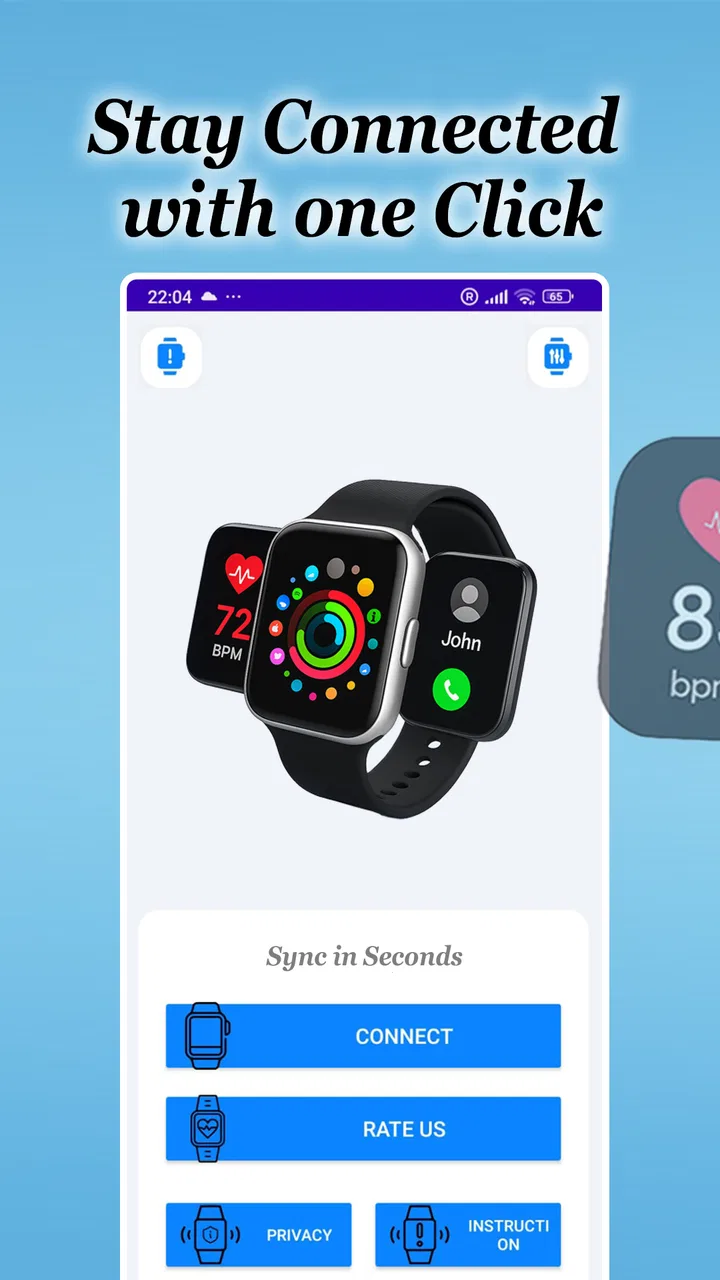
I approached SmartWatch Connect as a practical bridge between an Android phone and a smartwatch rather than as a complicated watch-management suite. Its purpose is straightforward: keep the two devices connected through Bluetooth so notifications can reach the watch. That narrow focus is also the key to understanding the app. It is most useful when you want a simpler way to stay aware of calls, messages, reminders, or other phone alerts without constantly taking your phone out.
In everyday use, that can make a noticeable difference. A quick glance at the wrist is less disruptive than unlocking a phone during a meeting, while cooking, walking, commuting, or carrying shopping bags. I found the idea appealing because the value does not come from adding another destination for entertainment; it comes from reducing the number of times the phone needs to interrupt whatever I am doing. The experience depends heavily on the Bluetooth connection, so the app feels best when the phone and watch remain close and communicate reliably.
Developed by Shadow soft, this free app belongs to the Libraries & Demo section and is rated for Everyone. It was released on April 21, 2024, and the current version is 22.0, with Android 7.0 or later required. Its store summary is brief, but that brevity reflects the product’s character: this is a focused connection tool, not an all-purpose smartwatch ecosystem.
You May Also Like

 Blood Strike: 2.5 Anniversary
Blood Strike’s Loadouts Turn Every Drop Into a Tactical Gamble
A close look at Blood Strike’s custom loadouts: how fast access to signature weapons reshapes its battle royale rhythm, rewards preparation, and narrows the gap between fights.

 Pandora - Music & Podcasts
Pandora’s Music Is Easy to Start, but Harder to Recover
Pandora’s strength is its low-effort path from a seed to a station. Its weak spot is how much confidence it asks you to place in connection, setup, and quiet recovery.

 8 Ball Pool
 Is Built on Rivalries, Rematches, and Routine
A close look at the rivalries, rematches, shared routines, and unanswered safety questions that turn a quick pool match into a persistent mobile community.

 Samsung Music
’s Quiet Strength Is Playing What You Already Own
Its reach comes less from spectacle than from dependable access to a personal library. That simplicity is both the app’s strongest retention engine and its ceiling.

 AccuWeather: Weather Radar
AccuWeather Review: A Quick, Clear Forecast for Everyday Decisions
For everyday plans, the best forecast is the one you can understand quickly. AccuWeather makes rain timing, radar, and local conditions easy to act on, with a few trade-offs.

 Hill Climb Racing
Why Hill Climb Racing Still Turns Crashes Into One More Run
A tiny car, a bumpy hill and one more upgrade: Hill Climb Racing keeps resurfacing because its simple chaos makes every near-miss feel personal.
More From Our News Desk
View All News


How the connection changes daily phone use
I find the wrist-to-phone handoff most useful when I treat it as a quick decision point, not a reason to answer every alert immediately. A glance can tell me whether to keep working or reach for the phone, and that simple pause helps prevent notifications from dictating my attention. It also makes the next question practical: how to shape the connection so useful alerts stand out without making the watch another source of noise.
Notifications are useful only when the link stays dependable
The central experience begins with pairing. Once the phone and watch are connected over Bluetooth, the watch can act as a small notification surface. That sounds simple, but it changes how I handle interruptions. Instead of reaching for the phone whenever it vibrates, I can first decide whether the alert deserves a fuller response. A short glance may be enough for a delivery update, a calendar reminder, or a message that can wait.
This arrangement is especially helpful in situations where phone use is awkward. Imagine preparing dinner with wet or messy hands. A notification appearing on the watch can tell you whether the phone needs immediate attention or whether it can remain on the counter. The same applies when walking through a busy station, where pulling out a phone repeatedly is inconvenient and can make it harder to stay aware of your surroundings.
There is an important distinction, though: the app is not replacing the phone. The phone remains the source of the notifications, while the watch becomes the place where you notice them. If you expect a full messaging environment, detailed notification history, or a complete health and fitness platform, this focused approach may feel limited. I would treat it as a visibility layer, not as a second phone.
Bluetooth distance becomes part of the user experience
Because the connection is based on Bluetooth, proximity matters. The most natural setup is keeping the phone in a pocket, bag, or nearby room rather than leaving it far away and expecting the watch to behave like an independent device. This is one of the first practical questions I would ask before installing it: do you usually carry your phone with you?
If the answer is yes, SmartWatch Connect makes more sense. A person who leaves the phone at home while going for a run may need a watch with its own communication capabilities instead. Likewise, someone expecting notifications to travel across a large building without interruption should not assume that a Bluetooth connection will behave like a mobile-data service. The app’s usefulness is tied to the physical relationship between the two devices.
I also recommend testing the connection in the places where you actually intend to use it. A pairing that works perfectly beside a desk may become less convenient when the phone is buried in a backpack or separated by walls. This is not necessarily a flaw in the app; it is a reminder that the connection method shapes the whole experience.
A good setup starts with a clear notification routine
One practical improvement is to decide which alerts deserve wrist-level attention before relying on the app throughout the day. If every phone notification reaches the watch, the wrist can become just as noisy as the phone. I prefer thinking of the smartwatch as a filter: it should help me notice important events, not reproduce every minor update.
For example, a user might want incoming calls and time-sensitive messages visible immediately, while leaving shopping promotions or social activity for the phone. The exact controls available can depend on the connected devices and Android’s own notification behavior, so I would spend a few minutes checking the result instead of assuming that the first connection is the final setup.
This is one of the less obvious trade-offs of a notification bridge. Convenience grows when alerts are visible, but so does interruption. The best experience comes from treating the watch as a carefully chosen front door to the phone, not as a mirror for everything happening in the notification shade.
What happens when the connection breaks
Bluetooth connections are not always perfectly stable. The phone may be restarted, the watch may lose power, or the devices may simply move beyond a comfortable range. In those moments, the most useful habit is not repeatedly tapping random settings; it is checking the basics in order. Bring the devices close together, confirm that Bluetooth is active, and look for the connection state before trying to pair again.
A clean recovery routine can save time. I would first check whether the watch itself is powered and responsive, then verify the phone’s Bluetooth state. If the devices still do not reconnect, closing and reopening the connection app may be worth trying before removing the pairing entirely. Unpairing should be a later step because it can turn a small interruption into a full setup task.
That recovery process also reveals the app’s main limitation: it depends on several layers working together. SmartWatch Connect can help establish the relationship, but it cannot make a depleted watch battery, disabled Bluetooth, or an out-of-range phone disappear. Users who want a completely automatic experience may find this frustrating when a connection needs attention.
Restarting is not always the best first answer
When notifications stop appearing, I would avoid immediately blaming the app. The phone may still show the alert while the watch does not receive it, which points toward the connection path rather than the original notification source. Checking whether other alerts are arriving can help narrow down the problem. If nothing reaches the watch, the link deserves attention; if only one type of alert is missing, the issue may be specific to the phone’s notification handling or the connected watch.
This small diagnostic habit is valuable because it prevents unnecessary reinstallation. Reinstalling an app can feel decisive, but it may also erase a working arrangement without addressing the real cause. For a Bluetooth-focused utility, understanding whether the problem is distance, device state, or notification behavior is more useful than treating every failure as the same.
Battery and attention are the hidden costs
A connected watch is convenient, but convenience is not free in practical terms. Both devices need to remain ready for the relationship to work, and the user has to tolerate another stream of alerts. I would not install this app simply because a smartwatch is available. I would install it if I regularly miss useful phone notifications or find phone checking disruptive.
There is also a social cost to constant wrist alerts. A vibration can be subtler than a ringing phone, but it can still pull attention away from a conversation. Used thoughtfully, the app can reduce phone handling; used without filtering, it can create a new habit of checking the wrist every few minutes. That is why the most successful setup is usually the one with fewer, more meaningful notifications.
Using it without wasting connectivity
SmartWatch Connect is designed around a local Bluetooth relationship, so I would not think of it as an app that requires a separate online service for its basic purpose. The phone-to-watch link is the important part of the experience. Still, the notifications themselves originate from the phone and may come from apps that use mobile data or Wi-Fi. A watch can show an alert only after the phone has received it.
This distinction matters for people managing limited data or trying to reduce background activity. The app can pass along what the phone has already received, but it does not turn an unavailable network into an available one. If a messaging app has not delivered a message to the phone, there is nothing for the watch connection to display. In a data-conscious setup, I would review the phone’s own notification and background-data choices rather than expecting the smartwatch connector to control them.
Another sensible approach is to use the watch for triage. Read the short alert on the wrist, then open the phone only when a full reply or detailed action is necessary. This reduces unnecessary screen wake-ups and phone handling, even though it does not eliminate the underlying network activity of the apps producing those alerts.
Who will get the most from this app
I see the clearest fit for Android users who already own a compatible smartwatch and mainly want notification access. It can be useful for someone who works with their hands, commutes frequently, checks a phone too often, or needs a discreet way to notice incoming events. It is also approachable for people who do not want to learn a large ecosystem of watch features before getting a basic connection working.
The age rating of Everyone makes the app broadly approachable, and the free price removes the usual trial-cost concern. Its reach is also reflected in its presence on more than fifty thousand Android devices, while its average rating sits at 3.9 from roughly five hundred ratings. Those figures suggest a product with a real user base but not one that should be treated as universally flawless.
The app is less suitable for someone who expects advanced smartwatch functions, extensive customization, or independence from a nearby phone. It is also a weaker choice for users whose main goal is fitness tracking, payments, navigation, music playback, or detailed watch-face management. Those needs usually call for the watch manufacturer’s companion app or a broader wearable platform, not a narrowly focused Bluetooth notification connector.
How it compares with the usual alternatives
The most obvious alternative is the smartwatch maker’s official companion app. That option is generally more appropriate when you need firmware management, device settings, health records, watch faces, application installation, or a complete account-based ecosystem. SmartWatch Connect is more attractive when your requirement is smaller: connect the devices and make phone notifications visible on the wrist.
There is also the option of using Android’s built-in Bluetooth tools without an additional connector. That can be enough for basic pairing, but it may not offer the same focused path for users who specifically want notification forwarding to a watch. The trade-off is that a dedicated app adds another layer to maintain. If your phone and watch already communicate properly through their normal software, installing another tool may add little value.
In my view, the app sits between bare Bluetooth pairing and a full manufacturer ecosystem. That middle position is useful for people who want a lightweight solution, but it also means expectations need to stay realistic. It is not competing with a complete wearable platform on feature depth; it is competing on simplicity and purpose.
What I would check before relying on it
Before making this part of a daily routine, I would test three situations: a normal notification while the phone is nearby, a notification after the devices have been separated briefly, and a reconnection after Bluetooth has been turned off and on. These tests reveal more than a quick successful pairing because they show how the setup behaves during ordinary interruptions.
I would also check whether the watch displays the alerts in a readable way and whether the phone remains usable while the connection is active. A connection that technically works but produces delayed, duplicated, or overly frequent alerts may not improve daily life. The point is not to prove that the app can connect once; it is to see whether it remains helpful during the messy conditions of real use.
Keeping the current version, 22.0, in mind is useful when troubleshooting because app behavior can change over time. If a problem appears after an update, I would note whether it affects pairing, notification delivery, or only one phone-watch combination. That kind of detail makes it easier to decide whether the issue is temporary, device-specific, or a sign that a different companion app would be a better fit.
My connectivity verdict
SmartWatch Connect succeeds when the goal is modest but practical: make a nearby smartwatch more useful by bringing phone notifications to the wrist over Bluetooth. I like that its purpose is easy to understand, and I can see genuine value in using it to reduce unnecessary phone checks during work, travel, cooking, or other hands-on moments.
Its limitations are equally clear. The experience depends on the phone, the watch, Bluetooth range, notification behavior, and the user’s willingness to troubleshoot occasional interruptions. It should not be chosen as a substitute for a full smartwatch ecosystem or for a watch designed to stay connected independently of a phone.
For the right person, the free price and focused design make it worth trying, especially on an Android device running version 7.0 or later. My recommendation is to approach it as a practical notification bridge and to spend time refining which alerts reach the watch. The best result comes from a stable nearby connection and a deliberately quiet notification setup, not from expecting the app to turn a basic smartwatch into a standalone phone.
FAQs for SmartWatch Connect for Android
01What features does SmartWatch Connect offer?
SmartWatch Connect provides a range of features including fitness tracking, notifications for calls and messages, customizable watch faces, and app synchronization. It also offers health monitoring tools like heart rate tracking and sleep analysis, making it a comprehensive companion for both fitness enthusiasts and those seeking to stay connected on the go.
02Is SmartWatch Connect compatible with all Android devices?
SmartWatch Connect is compatible with most Android devices running Android 6.0 or higher. However, it's important to check the specific compatibility with your device model to ensure full functionality. Some features may require additional permissions or settings adjustments on your smartphone.
03How does SmartWatch Connect handle notifications?
SmartWatch Connect allows you to receive notifications for calls, messages, and app alerts directly on your smartwatch. You can customize which apps send notifications to your watch, ensuring you only receive the most important alerts without unnecessary distractions. This feature helps users stay updated without constantly checking their phones.
04What are the main pros and cons of using SmartWatch Connect?
Pros of SmartWatch Connect include its user-friendly interface, extensive customization options, and reliable fitness tracking capabilities. However, some users may find the initial setup process a bit complex, and battery consumption can be a concern if many features are used simultaneously. Overall, it offers a solid experience for most users.
05Is there a cost associated with downloading or using SmartWatch Connect?
SmartWatch Connect is generally free to download, but it may offer in-app purchases or premium features that require payment. These optional purchases can enhance the user experience with additional functionalities or customization options. Be sure to review any costs associated with these features before proceeding.
Pros
- Seamless integration with multiple devices.
- User-friendly interface for easy navigation.
- Customizable notifications and alerts.
- Real-time fitness tracking capabilities.
- Battery optimization for prolonged use.
Cons
- Limited compatibility with older devices.
- Occasional sync issues reported by users.
- Some features require premium access.
- Interface may feel cluttered on smaller screens.
- Frequent updates can be data-intensive.

SmartWatch Connect for Android
Gallery